
How to Sign Your Arkansas Title.
Common Mistakes To Avoid.
These common mistakes can delay your payment and vehicle collection, please double-check the points below before signing.
Who needs to sign?
Please check the front of your title to confirm who must sign
Only one owner needs to sign
If the names on the front of the title appear as follows:
Owner 1 OR Owner 2
Owner 1 AND/OR Owner 2
All owners must sign
If the names on the front of the title appear as follows:
Owner 1 AND Owner 2
Owner 1 Owner 2 (no connector)
If only one owner is required, please follow the single owner instructions below.
Where additional owners must sign, the initial owner follows the single owner instructions below, all additional owners then follow the Additional Owner instructions below.
Signing Your
Arkansas
Title
Single / Primary Owner
On the Front of the title, please:
Sign Here
1. Sign Your Name
Sign your name on the OWNERS SIGNATURE (IF JOINT OWNERSHIP, BOTH MUST SIGN) line.
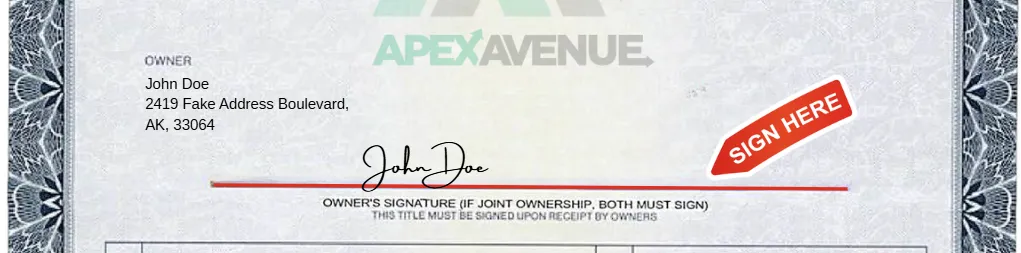
THEN
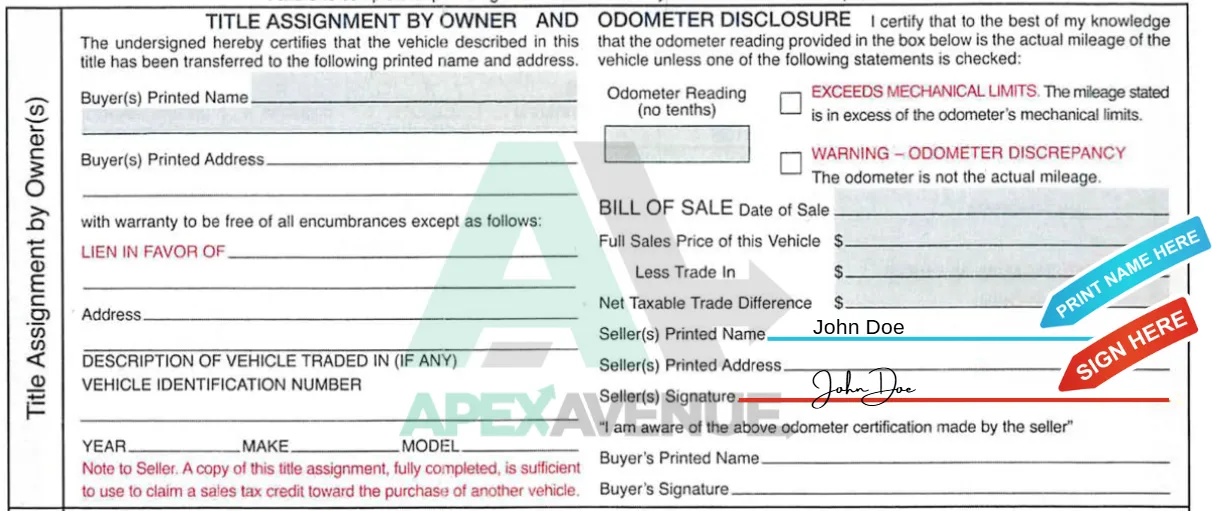
On the Back of the title, in the Title Assignment by Owner(s) section, please:
Sign Here
1. Sign Your Name
Sign your name on the Seller(s) Signature line.
Print Your Name
2. Print Your Name
Print your name on the Seller(s) Printed Name line.
Important! Your name must exactly match the name printed on the front of the title.
Arkansas
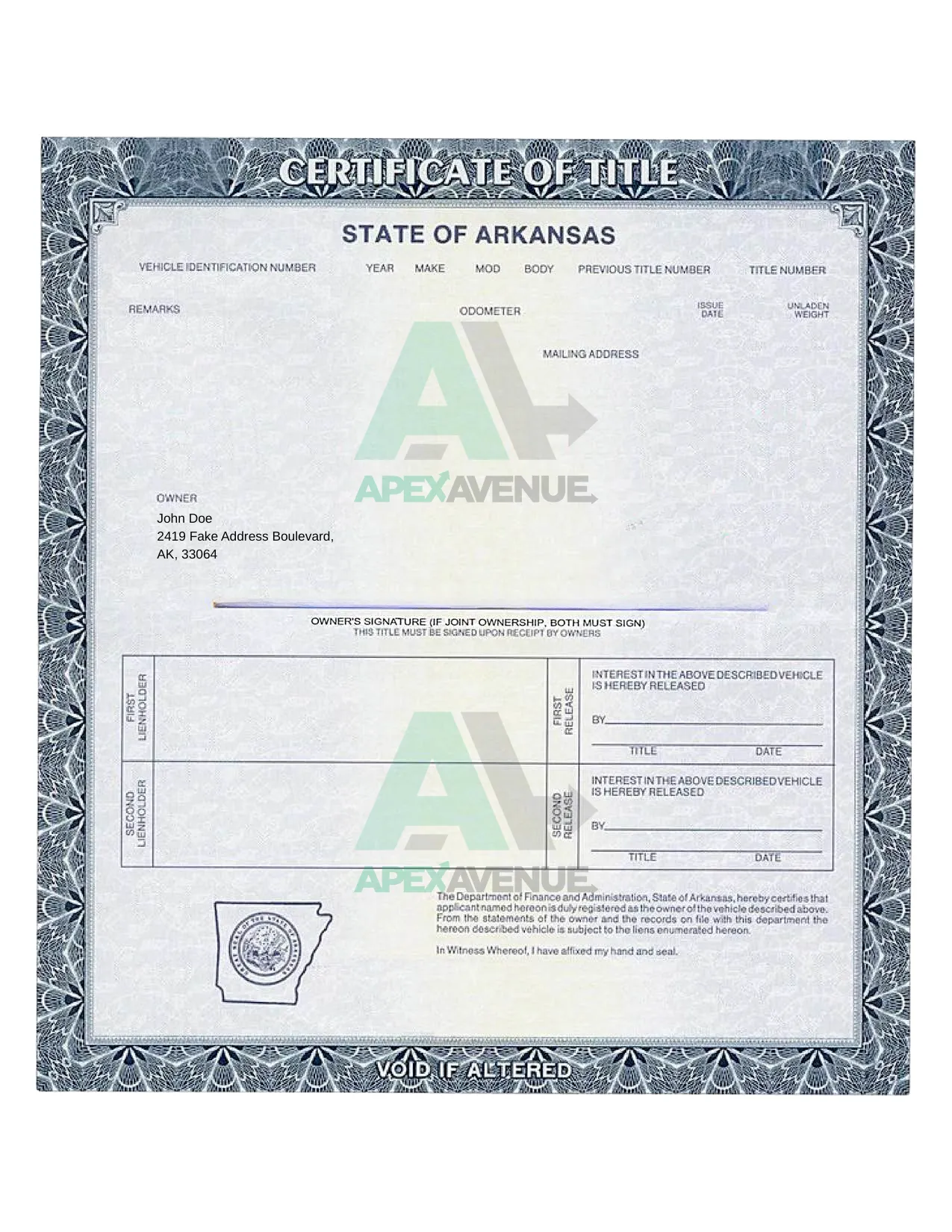
Title Examples
Single / Primary Owner

Additional Owners?
If additional owners appear on title they may also need to sign.
Signing Your Arkansas Title
Additional Owners
On the Front of the title, please:
Sign Here
1. Sign Your Name
Sign your name on the OWNERS SIGNATURE (IF JOINT OWNERSHIP, BOTH MUST SIGN) line.
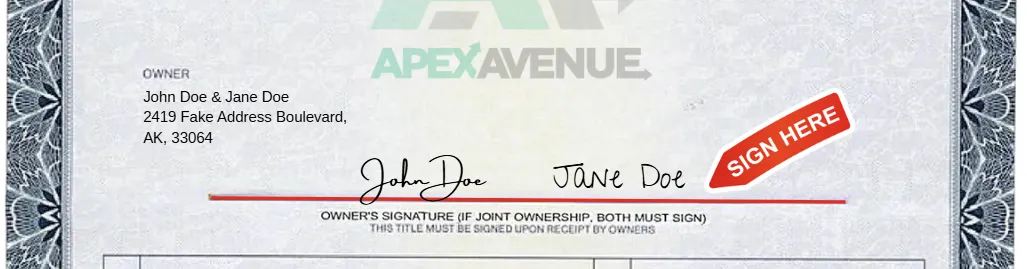
THEN
On the Back of the title, in the Title Assignment by Owner(s) section, please:
Sign Here
1. Sign Your Name
Sign your name on the Seller(s) Signature line, next to the initial owner.
Print Your Name
2. Print Your Name
Print your name on the Seller(s) Printed Name line. Next to the initial owner.
Important! Your name must exactly match the name printed on the front of the title.

Arkansas
Title Examples
Additional Owners


Need more help?
We’re here if you need us:
Call our Customer Service team on (888) 350-0050
or email title@apexavenue.com